
Bienvenidos en chino
Mobbing-acoso laboral-IRG
Mostrando entradas con la etiqueta Ebooks of Soft. Mostrar todas las entradas

Mathcad® Prime™ 1.0 Migration Guide

Mathcad Prime 1.0 - Guide

Table of Contents
1. About This Guide
2. Converting Legacy Files
3. Before Converting
4. Using the XMCD, MCD Converter
5. Understanding the Conversion Results
6. Display Differences
7. Calculation Differences
8. Other Notable Differences
9. Resolving Conversion Issues
10. Region Placement
11. Worksheet Calculation
12. Solving Functions
13. 2D Plots
14. Headers and Footers
Appendix A. Supported and Unsupported Features


Origin 8 User Guide OriginLab Corporation


Table of Contents
1. Introduction
2. Introductory Tutorials
3. The Origin Project File
4. Importing and Exporting Data
5. Working with Microsoft Excel
6. Graphing
7. Customizing Your Graph
8. Graphical Exploration of Data
9. Matrix Conversion and Gridding
10. Regression and Curve Fitting
11. Statistics
12. Graphic Export and Publishing

Up and Running with Autocad 2010 by Elliot Gindis

Up and Running with Autocad 2010

Table of Contents
Introduction to Level 1
Chapter 1 - AutoCAD Fundamentals Part 1
Chapter 2 - AutoCAD Fundamentals Part II
Chapter 3 – Layers, Colors, Linetypes and Properties
Chapter 4 – Text, Mtext, Editing and Style
Chapter 5 – Hatch Patterns
Chapter 6 – Dimensions
Chapter 7 – Blocks, Wblocks, Dynamic Blocks and Purge
Chapter 8 – Polar and Rectangular Arrays
Chapter 9 – Isometric Drawing
Chapter 10 – Basic Printing and Output
Spotlight On: Architecture
Introduction to Level 2
Chapter 11 – Advanced Linework
Chapter 12 – Advanced Layers
Chapter 13 – Advanced Dimensions
Chapter 14 – Options, Shortcuts, CUI, Design Center and Express Tools
Chapter 15 – Miscellaneous Topics
Chapter 16 – Importing and Exporting Data
Chapter 17 – External References (XREFs)
Chapter 18 – Paper Space
Chapter 19 – Attributes
Chapter 20 – Advanced Output and Pen Settings
Spotlight On: Engineering
Appendixes
Index

Simulación de Procesos en ASPEN HYSYS


TABLA DE CONTENIDO
INTRODUCCIÓN A ASPEN HYSYS®
ENTRANDO AL AMBIENTE DE SIMULACIÓN
APLICACIONES

  • BALANCES DE MATERIA Y ENERGÍA
  • TERMODINÁMICA
  • OPERACIONES UNITARIAS I
  • TECNOLOGÍA DEL CALOR
  • OPERACIONES UNITARIAS II
  • CINÉTICA QUÍMICA Y CATÁLISIS
REFERENCIAS
LIBROS, APUNTES, PAPERS Y MANUALES
MATERIAL EN INTERNET

Introduction to Autocad 2010 2D and 3D Design
by Alf Yarwood

Autocad 2010

Table of Contents
Part 1 - 2D Design
1. Introducing AutoCAD 2010
2. Introducing drawing
3. Draw tools, Object Snap and Dynamic Input
4. Zoom, pan and templates
5. The Modify tools
6. Dimensions and Text
7. Orthographic and Isometric
8. Hatching
9. Blocks and Inserts
10. Other types of file format
11. Sheet sets
Part 2 - 3D Design
12. Introducing 3D modelling
13. 3D models in viewports
14. The modification of 3D models
15. Rendering
16. Building drawing
17. Three-dimensional space
18. Editing 3D solid models
19. Other features of 3D modelling
Part 3 - Internet tools and design
20. Internet Tools and Help
21. Design and AutoCAD 2010
Part 4 - Appendices
Appendix A: List of tools
Appendix B: Some set variables
Index

Engineering with Mathcad by Brent Maxfield

Engineering with Mathcad

Table of Contents
Part I Building your Mathcad Toolbox
1 Variables
2 Creating and editing Mathcad expressions
3 Simple functions
4 Units!
5 Mathcad settings
6 Customizing Mathcad
7 Templates
8 Useful information—Part I
Part II Hand Tools for your Mathcad Toolbox
9 Arrays, vectors, and matrices
10 Selected Mathcad functions
11 Plotting
12 Simple logic programming
13 Useful information—Part II
Part III Power Tools for your Mathcad Toolbox
14 Introduction to symbolic calculations
15 Solving engineering equations
16 Advanced programming
17 Useful information—Part III
Part IV Creating and Organizing your Engineering Calculations with Mathcad
18 Putting it all together
19 Assembling calculations from standard calculation worksheets
20 Importing files from other programs into Mathcad
21 Communicating with other programs using components
22 Microsoft Excel component
23 Inputs and outputs
24 Hyperlinks and Table of Contents
25 Conclusion

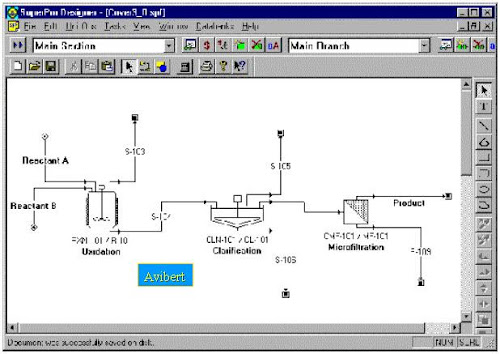
Super Pro Designer Manual Advanced

Super Pro Designer

Tables of Contents

1. Introduction9. Debottlenecking
2. Tutorial10. Emissions
3. Components and Mixtures11. Reports
4. Streams12. Visual Objects
5. Unit Procedures13. Design Case
6. Scheduling14. Interacting with Other Windows Programs
7. Resources15. Menus and Palette Buttons
8. Economic Evaluation16. Databanks